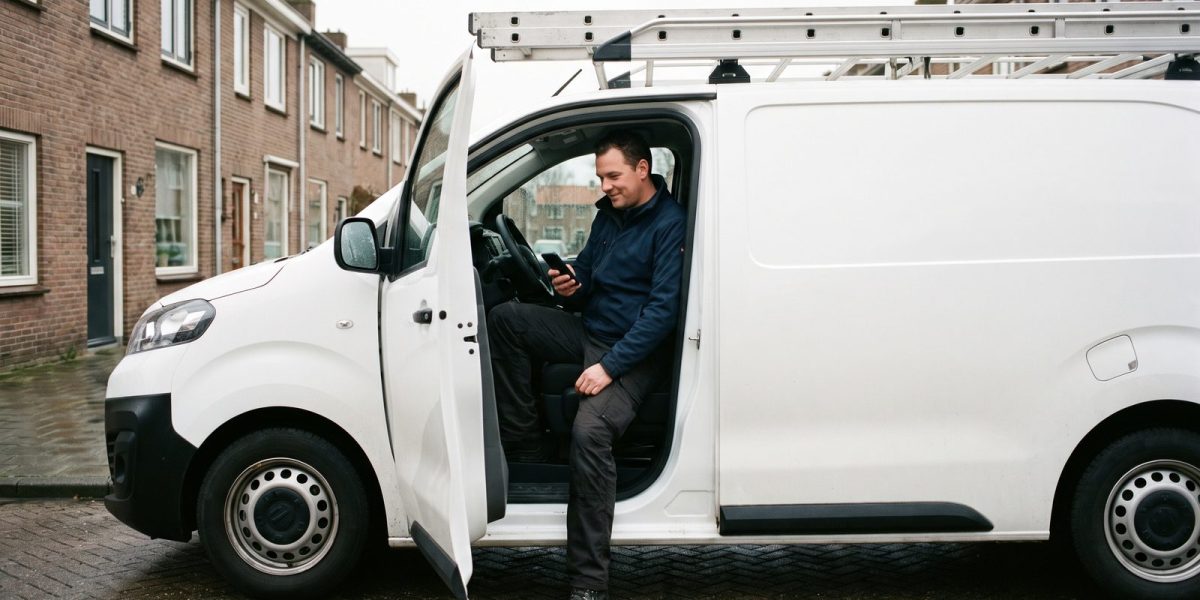
A homeowner in the Netherlands looking for a contractor or roofer types the trade plus their town. Or they first search for the job and the money: “aanbouw kosten per m2” (extension cost per m2), “dakkapel kosten per meter” (dormer cost per metre), “dak vervangen kosten per m2” (roof replacement cost per m2), or in an emergency “daklekkage spoed” (urgent roof leak). Those are the suggestions Google itself shows. Getting more jobs through Google means being visible at those moments, and then being convincing.
This article is about what you can do yourself, based on Google’s own guidelines. Buying a better position in the regular local results is not possible: Google writes that you cannot pay or ask for a better local ranking (Google).
How Google chooses in the map results
For a search such as “dakdekker” plus a town, Google shows businesses from Google Business Profile. According to Google, three things count most: relevance, how well your profile matches the search; distance, how far you are from the searcher; and prominence, how well known your business is, reflected among other things in how many websites link to your business and how many reviews and positive ratings you have (Google). You can do little about distance. You can do something about the other two.
1. Set up your Business Profile as a service business
- Choose the right category. Google asks for a primary category that best describes your business, as specific as possible, and advises using only a few additional categories rather than one per service (Google).
- Set service areas. If you do not receive customers at your own address, remove that address from your profile and set service areas, up to 20. Google advises keeping them within about two hours’ drive of your business location (Google).
- Use a real address. A PO box at a remote location, or a virtual office that is not staffed during business hours, is not allowed as an address for a service business (Google).
- Keep everything up to date. Google writes that businesses with complete and accurate information are more likely to be shown, including opening hours and special hours, and that photos show what you offer (Google).
2. Ask every customer for a review
Reviews count towards prominence. Ask when the work is done, with a direct link to your profile, and ask every customer, without pressuring them or telling them what to write. Google prohibits rewards for reviews, such as money or discounts, and also selectively asking only satisfied customers (Google). Reply to what people write, criticism included: Google writes that replying shows you value the feedback (Google). A calm, factual reply to a critical review often tells a new customer more than a row of five-star reviews.
3. One page per type of work
For searches about a job, such as an extension, a dormer or a bitumen roof, you need pages on your own site. One page listing ten services says too little about each of them. Give every job its own page with:
- what you do and how such a project runs;
- what the price depends on, with an indication you can stand behind;
- photos of projects you carried out yourself;
- a clear button for a quote, and for emergency work a phone number that calls with one tap.
People search for costs, so an honest explanation of the price is not a secret given away but the answer to their first question.
4. Pages per town only with their own content
It is tempting to create a page for every town in your area with the same text and a different place name. Do not. Google’s spam policies name pages targeted at specific regions or cities that funnel users to one page, and substantially similar pages that are closer to search results than a clearly defined, browseable hierarchy, as a form of abuse (doorway abuse) (Google Search Central). A page per town only makes sense if you have something of its own to say about it, such as projects you did there. Otherwise one good page about your service area is better, together with the service areas in your Business Profile.
5. Show your projects, with an eye on privacy
A projects page with your own photos is one of the strongest proofs that you know your trade. Watch two things. According to the Dutch Data Protection Authority, an address is personal data (AP, in Dutch), so name the town, not the street and house number. And if people are recognisable in a photo, you need a legal basis to publish it, for example their consent (AP, in Dutch).
6. See what you are already found for
Google Search Console is free, and its Performance report shows how often your site appeared in search results, how often it was clicked and for which queries (Google). If you see impressions for a job you do not have a page for yet, you know what your next page should be.
What to do this month
- Check your Business Profile: category, service areas, opening hours and recent photos.
- Send your last ten customers a link to write a review, without any reward.
- Create a page of its own for your most profitable job, with a price explanation and project photos.
- Connect Search Console to your site and check after a few weeks what you appear for.
Frequently asked questions
Can I pay to be at the top of the map?
Not in the regular local results: Google writes that you cannot pay or ask for a better position. You can advertise in Google Maps through Google Ads, including at the top of the map results list (Google Ads Help). That is an ad and does not change your regular position.
I work across a large area. Do I need an address in my profile at all?
To verify your business, Google asks for a business address it can find; this can be your home address. If you do not receive customers there, Google says you must hide it from customers and set service areas instead (Google).
How long before I see results?
Google writes that some changes take effect within a few hours and others only after several months (Google SEO Starter Guide). Business Profile edits usually show within a few days; reviews and new pages take longer.
A site that brings in jobs
To see how your current site is doing, scan your homepage for free. If you want a new site with a page per job and a projects overview you keep up to date yourself, see our business websites or tell us what you build and where.


